.svg)


.png)
.png)


.svg)





.png)

.png)
Schedules
to plan projects better
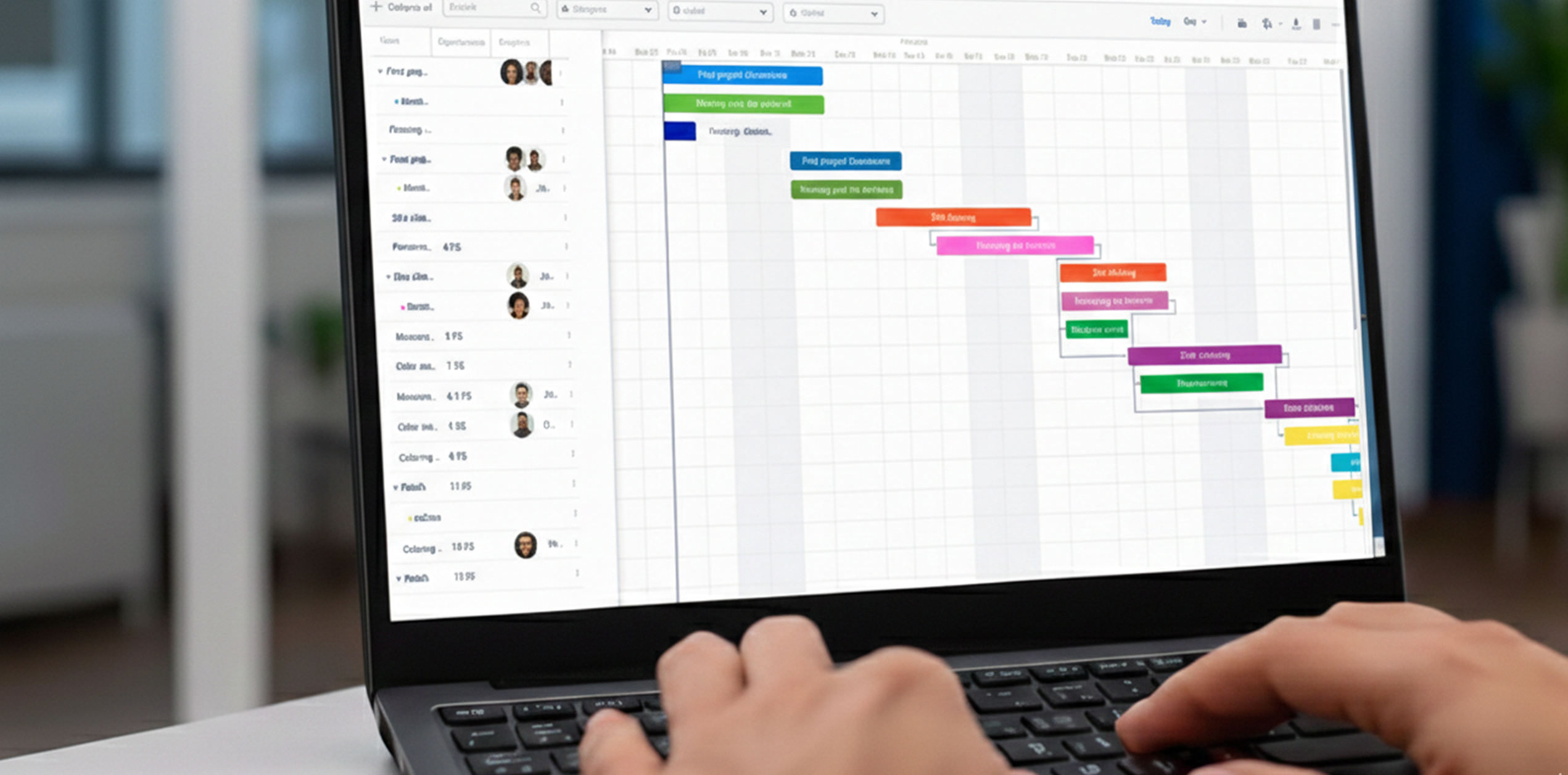
Create advanced Gantt Charts and collaborate seamlessly on detailed project schedules


Plan on a Gantt With Live Cost
Activity list and Gantt with filters, custom views and cumulative 5D cost rolled into the same timeline


Import schedule

Import schedules in various formats to view or modify

Create 4D Simulation
Link processes directly to the project's timeline for a 4D view

Track Milestones
Monitor significant points of progress and achievements

Manage resources
Assign resources across the schedule to optimize project management

Import schedules in contracts
Integrate schedule data from external sources into contract management system


Create a Schedule for Any Folder
Set up a schedule with its own title, permissions and folder, ready for activities or an import

Import and Export P6 and MS Project
Bring in XER and MSP files with durations, dependencies, slack, calendars and baselines, past a hundred thousand activities

Run the Critical Path Automatically
Set finish-to-start and other relations with offsets, then reschedule dependent activities and flag the critical path

Update Actuals and Roll Them Up
Record actual dates, durations, cost and percentage complete, with summary activities rolling up on their own

Simulate Construction in 4D and 5D
Play the build date by date against the model, with planned value, earned value and actual cost side by side
Load and Level Your Resources
Create human, machine and material resources with rates and calendars, assign them, and spot over-allocation on the Gantt
Manage Schedules and Their Versions
Named versions you can restore, granular permissions and a register of every schedule in the project
Build the Activity Breakdown
Add activities, indent and outdent to form summaries, and set task, project or milestone types
Work to Real Project Calendars
Define working timings and holidays, keep several calendars, and attach the right one to each activity
Shape the View You Need
Choose columns, expand or collapse the whole schedule, and zoom to fit in a click


.png)
.png)
.png)

.webp)

.webp)




.png)
.png)
.jpg)



.png)
.png)
.png)
.png)
.png)
%20(1).png)

.png)

.png)

.png)
.png)


.png)
.png)


.jpg)

.jpg)


.jpg)
.jpg)
.jpg)